
#24
Apr 27, 2007

The Stack Trace

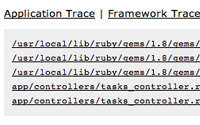
The stack trace can be a very useful tool when it comes to debugging. Learn the ins and outs of how the stack trace works in this episode. Note: I am using an older version of the Rails bundle here so it might be a little different than yours. The command in the newer version is called Install Plugin and requires you to type textmate_footnotes in the search.
Tags: debugging
Download (29 MB, 4:39)
alternative download for iPod & Apple TV (10.9 MB, 4:39)

RSS Feed for Episode Comments 34 comments

1. Trueque Apr 27, 2007 at 02:10

Good Tip! I'm always waiting for new tip from Railscasts.


2. Vlad Apr 27, 2007 at 02:38

Thanks Ryan!
фдесятке!


3. Yoann Apr 27, 2007 at 03:35

I really enjoy your screencasts.

Could you describe how you installed the textmate plugin in this episode ? I got an error while trying to do the same.


4. Marcos V Bohrer Apr 27, 2007 at 06:38

Very cool!


5. Ryan Bates Apr 27, 2007 at 07:44

@Yoann,

I just hit "OK" and then restarted my development server and the plugin worked. What error message are you getting and what version of Rails do you have?


6. Indrek Apr 27, 2007 at 09:19

Hey.

I really like your railscasts. I haven't miss any :).

I have one question:
You look your log messages from live console. Is there some program or smth?


7. Indrek Apr 27, 2007 at 09:21

Oh. I found it. You answered it already to one.
tail -f log/development.log
was it.


8. Victor Apr 27, 2007 at 12:20

I can't find the "Install Bundled plugin" in Textmate. I tried to find it using the included default Rails bundle and the one in the svn repository. Is there another Rails Bundle floating around I should know about? Thanks.


9. Ryan Bates Apr 27, 2007 at 14:51

@Victor,

Oy, I was using an older version of the Rails bundle. Looks like the newer one has a command called "Install Plugin", is that showing up for you?

The interface is a bit different too, you need to type in textmate_footnotes in the search field then click the arrow button to download and install it. Pretty slick.


10. eskim Apr 27, 2007 at 17:10

I'm korean reader.
Thanks for the greate screencasts.


11. Dennis Apr 27, 2007 at 17:46

Hi Ryan i enjoy your casts as much as this tremendous framework. I'm still learning the basics in building an app in RAILS for my company, and there are so many usefull things you show in your episodes.

I hope you keep on going with this stuff -
not only because of the high quality of your casts but of your style keeping things easy and neat!

Great work!


12. chineseGuy Apr 27, 2007 at 21:43

Good Tip! I'm always waiting for new tip from Railscasts TOO!
很好的技巧!我也常常等待Railscasts处新的技巧.


13. Carina Apr 28, 2007 at 19:43

Ryan, I'm using TM 1.5.5 and can't find "Install Bundled Plugin" or "Install Plugin" either. Googling around, it turns out textmate_footnotes is included in the the SyncPEOPLE bundle. But after installing that, I'm not seeing it or the above two commands anywhere. The rest of SyncPEOPLE bundle works; the footnoting feature just doesn't seem to be there. I wonder if there's a compatibility issue with recent version of TM...?


14. Vicent Apr 29, 2007 at 05:12

Hi Ryan,
congratulations, these screencast are excenlent.
Please, can you consider to make a new one about Textmate and Rails?


15. Jack Apr 29, 2007 at 12:08

Another great screencast as always! Definitely my favorite place for RoR info. Would really love to see a screencast one day about SEO, seen as almost every client I get these days screams on and on about it for every project. Many are skeptical about RoR with respect to SEO, I think this should be something to be squished sooner rather then later.


16. Jin Weijie Apr 29, 2007 at 20:03

Thank you for your great screencasts! Thank you!


17. Ryan Bates Apr 29, 2007 at 21:43

@Corina, check your "~/Library/Application Support/TextMate/Bundles" folder to see if you have a custom Rails bundle in there. If you do it will override the one provided by TextMate. Try moving it out of that folder and relaunching TextMate.

Also, this is just a normal rails plugin so there's no need to install it through TextMate, you can just check it out of the repository and place it in the "vendor/plugins" directory. See this article for details:

http://blog.inquirylabs.com/2006/09/28/textmate-footnotes-v16-released/


18. Ryan Bates Apr 29, 2007 at 21:48

@Vicent, I try to squeeze in TextMate tips when I can, but I don't want to make it a focus of the episode because not every viewer is using it. Unless I make a few separate screencasts which is a possibility.

@Jack, I don't think SEO is related enough to Rails to create an episode about it. SEO is all client-side and Rails is server side. You can have Rails spit out any HTML you want in order to improve the SEO.

However, there are a few things like permalink titles in the URL which can improve SEO and are Rails specific. I'll consider creating an episode on this. Thanks for the suggestion!


19. Ryan Apr 30, 2007 at 07:51

Of course Ryan, the idea is doing some screencast tagged as 'Textmate'. You can explain in it some basic issues.

Regards.


20. SydneyStephen May 22, 2007 at 01:03

Very cool. But when I try to install from Textmate I get this:

/Applications/TextMate.app/Contents/SharedSupport/Bundles/Rails.tmbundle/Support/lib/rails/text_mate.rb:69:in `method_missing': undefined method `filepath' for TextMate:Module (NoMethodError) from /Applications/TextMate.app/Contents/SharedSupport/Bundles/Rails.tmbundle/Support/lib/rails/rails_path.rb:43:in `initialize' from /Applications/TextMate.app/Contents/SharedSupport/Bundles/Rails.tmbundle/Support/bin/list_plugins.rb:25

Opensource error messages are truly in a world of their own...


21. Ryan Bates May 22, 2007 at 07:25

Sydney, make sure you call the bundle action while you have your full rails project open in TextMate.


22. Oskar Lissheim-Boethius Jul 27, 2007 at 10:31

Great tip on the "footnotes" plugin!


23. James Howison Oct 17, 2007 at 19:17

Thanks, it would also be great to know if there is a way to have errors encounted during Ajax calls return in the same way (it write similar stack trace html into some page.) I hate staring at things then having to examine the full stack trace in the development.log file ... any ideas?


24. sruthi Apr 13, 2008 at 06:53

can u give me the code required for displaying the stack contents in the execution of the factorial program


25. die casting Jun 03, 2009 at 00:47

Thank you for your great screencasts!
a very cool site


26. File Search Nov 18, 2009 at 22:46

Thanks! Great article. And very helpful. A bit more on this topic here http://www.picktorrent.com [url=http://www.picktorrent.com] search engine [/url]


27. wholesale scarves Dec 01, 2009 at 01:04

 I hate staring at things then having to examine the full stack trace in the development.log file ... any ideas?


28. Mario Dec 10, 2009 at 14:10

I'm using Textmate [2009-08-29: REVISION 1509] and I don't find the footnotes plugin in the boundle. How can I install it??


29. ugg boots chocolate Jan 06, 2010 at 23:54

<p><a href="http://www.hiuggs.com/ugg-classic-tall-chocolate-boots-5815-p-1169.html"><strong>Ugg boots chocolate</strong></a> are some of the most popular of the entire UGG Boots line. They're warm, very comfy and even though they are well insulated they keep feel cool in warm weather, and warm on cold days.</p>
<p>&nbsp;</p>
<p>&nbsp;</p>


30. ugg boots chocolate Jan 06, 2010 at 23:55

No matter who you are,how much money you have ,I believe that this is a good opportunity for you to come to our lacoste store to take action to take lacoste shoes home ,and make you dream come ture!
lacoste shoes canada is very casual and fashionable,many people loves this style very much!


31. lacoste store lacoste shoes canada Jan 06, 2010 at 23:57

No matter who you are,how much money you have ,I believe that this is a good opportunity for you to come to our lacoste store to take action to take lacoste shoes home ,and make you dream come ture!
lacoste shoes canada is very casual and fashionable,many people loves this style very much!


32. ghd iv styler Jan 06, 2010 at 23:58

The ghd IV styler is a fantastic all-round styler. The pink is the color that we grils are love very much. To us, we would love to be more beautiful and attractive. Owning a GHD IV pink styler can be the best choice to make you dream come true.


33. wholesale nike shoes Jan 13, 2010 at 23:21

A very good article, I will always come in.


34. fashion scarves Jan 13, 2010 at 23:21

Such a good article, caught my sympathy!
-

Add your comment:

(SKIP THIS ONE)

(required)

(not shown)


(use pastie or gist for code)

sponsored by:
if you want to help:
required:
Get Quicktime Player
Give Back to Open Source