


#208 ERB Blocks in Rails 3
Blocks in ERB templates are handled differently in Rails 3.0 Beta 2. Learn all about it in this episode.
- Download:
- source code
- mp4
- m4v
- webm
- ogv

UPDATE: I recommend using the "capture" method instead of "with_output_buffer". This has the added benefit of working outside of ERB views. Code below has been updated.
Resources
bash
rvm install ruby-head
rvm ruby-head
gem install rails --pre
bundle install
Gemfile
gem "rails", "3.0.0.beta2"
application_helper.rb
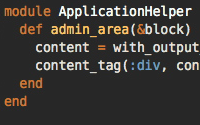
def admin_area(&block)
  content = capture(&block)
  content_tag(:div, content, :class => "admin")
end
# or
def admin_area(&block)
  content_tag(:div, :class => "admin", &block) if admin?
end
rhtml
<%= form_for @product do |f| %>
<% end %>

<%= div_for @product do %>
<% end %>

<% @comments.each do |c| %>
<% end %>

<% content_for :side do %>
<% end %>

<% cache do %>
<% end %>
products/show.html.erb
<%= admin_area do %>
  <%= link_to "Edit", edit_product_path(@product) %> |
  <%= link_to "Destroy", @product, :confirm => "Are you sure?", :method => :delete %> |
  <%= link_to "View All", products_path %>
<% end %>
