
#147
Feb 02, 2009

Sortable Lists

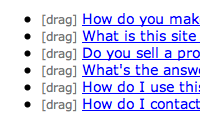
Creating drag & drop sortable lists is fairly easy using Prototype and the built in helper methods. See how in this episode.
Download (15.4 MB, 8:14)
alternative download for iPod & Apple TV (10.8 MB, 8:14)

Resources

script/generate migration add_position_to_faqs position:integer
rake db:migrate
script/plugin install git://github.com/rails/acts_as_list.git
# routes.rb
map.resources :faqs, :collection => { :sort => :post }

# faqs_controller.rb
def sort
  params[:faqs].each_with_index do |id, index|
    Faq.update_all(['position=?', index+1], ['id=?', id])
  end
  render :nothing => true
end

# models/faq.rb
class Faq < ActiveRecord::Base
  acts_as_list
end
<!-- layouts/application.html.erb -->
<%= javascript_include_tag :defaults %>

<!-- faqs/index.html.erb -->
<ul id="faqs">
<% for faq in @faqs %>
  <% content_tag_for :li, faq do %>
    <span class="handle">[drag]</span>
    <%= link_to h(faq.question), faq %>
  <% end %>
<% end %>
</ul>
<%= sortable_element("faqs", :url => sort_faqs_path, :handle => "handle") %>
li .handle {
  font-size: 12px;
  cursor: move;
  color: #777;
}

RSS Feed for Episode Comments 33 comments

1. Tilo S. Feb 02, 2009 at 01:02

Excellent RailsCast!
thank you! :)


2. Andy L. Feb 02, 2009 at 01:22

How would you go about doing something similar with jQuery?

I mean, pure jQuery, without the jRails plugin...


3. Radovan Feb 02, 2009 at 01:40

Andy,

Try this:

http://www.wil-linssen.com/extending-the-jquery-sortable-with-ajax-mysql/


4. Mario U. Feb 02, 2009 at 01:42

What's the difference between content_tag and content_tag_for? I'm always using content_tag in my rails projects.


5. Alain Ravet Feb 02, 2009 at 01:54

Don't forget to mention that the SQL indexes on the 'position' column MUST NOT be unique, because of the temporary duplicates created by the progressive updates in the sort action.


6. Lennart Feb 02, 2009 at 02:27

Wow. This just describes so good why I love Rails! :)


7. tony petruzzi Feb 02, 2009 at 05:16

an idea for next weeks rails cast. expand upon this using categories. in an application i have now, i have my faqs linked to a specific category. my users can order the categories themselves in addition to the group of faqs under each category.


8. Andrew Feb 02, 2009 at 06:13

How hard would it be to extend this to nested lists, using acts_as_tree? In particular, dragging a sublist item to another sublist, or making it a parent (out-denting)?


9. pulkit Feb 02, 2009 at 07:03

Hi Ryan,
I am happy with your railscast video but i can't download source code.
When I tried to download source code of all episodes i got source code upto episode no.136 only.
Please check it out of there is any prob. in git.

Cheers,
:)


10. Chris J Feb 02, 2009 at 09:52

If any of you out there are trying to use Ryan's technique to sort <tr> elements inside a table, make sure you

(1) read the documentation for Sortable.create, especially the important information under "Notes" (see http://wiki.github.com/madrobby/scriptaculous/sortable-create), and
(2) pass :tag => "tr" to your call to the sortable_element helper method.


11. StartBreakingFree.com Feb 02, 2009 at 10:25

Ironically...the most valuable thing I got out of this was "each_by_index", haha! Found myself using a separate indexer "i" a number of times, had no idea this existed! Thanks Ryan.


12. Henrik N Feb 02, 2009 at 10:35

This is what I do with jQuery: http://henrik.nyh.se/2008/11/rails-jquery-sortables

It also uses a single query to update the index, which could be used just as well with Prototype.


13. Scott Hunter Feb 02, 2009 at 14:31

Thanks for the example! I needed to do something like this today, and while I could have put it together myself from the pieces, your example is a complete picture of how I wanted to implement it, even down to the collection RESTful action :) And to think I stumbled across it through pure luck from Google, even before iTunes had downloaded today's video from the podcast.


14. Ubercow Feb 02, 2009 at 20:47

I was just trying to do this today. Thanks a bunch!


15. Jcooper Feb 03, 2009 at 01:11

Awesome as usual... Just wondering is this the same for organizing a gallery of images? If they are not just a list but in rows and columns?


16. Kip Feb 03, 2009 at 10:15

Thanks for the episode. I've learned a ton from you and am very thankful. If I can vote for a future episode topic, I'd like to see something about using an asset service like Amazon S3 with Rails. I have some upcoming projects that want to do heavy video streaming and have been thinking about using something like S3 for the application. Thanks!


17. Niklas Feb 03, 2009 at 12:10

Very nice tutorial, as always. Very useful and on point. Thank you.


18. Joe Ellis Feb 03, 2009 at 17:21

I JUST finished figuring out this exact same thing, and then a railscasts comes along! Crazy


19. Gustavo Scanferla Feb 03, 2009 at 18:03

Thanks, that's what I needed!

But in my app, each user will have the power to sort the list in his own way.

I'm trying a "rich join table" with (user_id, item_id, position) to relate a item to a user and to know it's position in relation to this specific user.

But I keep getting errors. I know this insn't very clear... But if someone can help me how to do something like that, I would be thankful!


20. Gustavo Scanferla Feb 03, 2009 at 18:15

Continuing:
To make it easier, I am logging successfully the data that I want:
 
item_id: 18, position: 1 and user_id: 1
item_id: 38, position: 2 and user_id: 1
item_id: 29, position: 3 and user_id: 1
item_id: 25, position: 4 and user_id: 1
item_id: 33, position: 5 and user_id: 1

I just need to save/update this in my database.

Ryan, I apologize about the semi-offtopic, but I don't know, maybe someone wants to do a personalized sortable lists too =D


21. Gustavo Scanferla Feb 03, 2009 at 19:52

Yeah! I made it!

Maybe it's not the best way to do that, but it's working.

If someone wants to know how I did it just reply here. For now I'll say sorry about the "flood" and thanks!

PS: Ryan, feel free to delete my 3 comments =)


22. R Sturim Feb 04, 2009 at 10:59

Tutorials like these, the ones that focus on the "basics" are crucial to making our community standout from other web frameworks.

All average rails devs should be able to whip off a sortable draggable list in minutes. This screencast makes a nice dent in the right direction. I know there is voting out on UserVoice, but I would strongly encourage you to consider extending a few additional ajax centric screencasts similar to this to move our cumulative ball further down the field.

Perhaps centering on a few of the other scriptaculous modules such as expandable-collapsible divs, inline editing, ajax tabs, sliders, etc.

Essentially a toolbox of the common UI patterns we are commonly asked to provide our clients but are not always entirely obvious to implement.

Kudos again,

-Rich


23. Shreyans Feb 05, 2009 at 12:56

I am not sure how this will add position column to the faqs table.

script/generate migration add_position_to_faqs position:integer

Any idea on what's going on here?


24. Pete Feb 06, 2009 at 02:01

Thank you for the download.


25. Michael Feb 06, 2009 at 07:02

Ryan, awesome screencast.
R Sturim, I Totally agree. We definitely need more screencasts like this.


26. Achim Feb 07, 2009 at 01:36

Great work again Ryan .. keep on casting :-)


27. Ryan Bates Feb 07, 2009 at 08:50

@Mario, content_tag_for accepts a model as an argument, and it will give the tag attributes based on the model's name and id.

@pulkit, weird. Do you still have this problem? Perhaps GitHub was having difficulties.

@Jcooper, great question! If you just float the list elements to the left it should work. You'll also want to set the
":constraint => false" option on sortable_element so the item can be dragged horizontally as well.

@R Sturim, thanks, I'll definitely consider working on some more basic ajax screencasts in the near future.

@Shreyans, Rails is doing some magic here, it parses the name of the migration and knows we're trying to add the position column to the faqs table. This was added in Rails 2.0, see the episode on that for details.
http://railscasts.com/episodes/83-migrations-in-rails-2-0


28. Stuart Feb 08, 2009 at 23:23

I'm currently working through implementing this on a has_many through association. Are there any tricks involved in doing that?


29. Stuart Feb 09, 2009 at 00:11

Sorted it (no pun intended, really). I had to do the for each on the association model in the middle. It looks like there are a few more db accesses to get anything from the models I really want though as each call to the associated model on the other side must get loaded afterwards.


30. Brad Robertson Feb 12, 2009 at 09:16

Do you know how to use this to sort by more than just position? I want to sort people with drag/drop, but maintain two columns, male and female. Can u sort by, say, position and sex?


31. Pablo Feb 23, 2009 at 02:29

Nice tutorial! :) I've been following these for a while.

However, is there any simple way to drag items between lists, or to drop an item into a dropbox?


32. Nadav Mar 08, 2009 at 15:16

Great tip !! Thanks.
However, I think that the sort action
could be made to be more efficient. If I understood right, it generates a separate update for each line, every time the user drags a faq. Better to generate a single update string and execute it after the loop (in the sort action).


33. George Mar 24, 2009 at 16:57

One of my favorite Rails episodes. Thanks.


34. Travis Apr 13, 2009 at 14:25

Using this method to update the positions of records, how do you get a sweeper to fire? The only way I've been able to do it is with this method:

http://gist.github.com/94735

Unfortunately, it fires once for every record that is updated. Is there a better way to get it to fire only once?


35. Rupert Sep 12, 2009 at 04:18

This is BRILLIANT - I've used it gadzillion times. More "simple" stuff like this please Ryan, I learn a ton of stuff each time.


36. Ben Carroll Nov 18, 2009 at 13:09

Holy spam!
But anyway I was wondering if you delete some records would it still be sortable?


37. bearblu Nov 19, 2009 at 14:11

Can this technique be combined with the dynamic list that you presented in #73? I would like to be able to add elements and sort them during creation and edit.


38. Ronald Evers Jan 06, 2010 at 03:47

For a jQuery-based alternative that works on trees instead of flat lists, see http://blog.ronaldevers.nl/posts/6-rails-sortable-element-helper-with-jquery

Great stuff Ryan!


39. Matenia Rossides Feb 25, 2010 at 23:44

hmm ... tried doing this but for some reason my sort is not getting saved to the database in the position column ...

I have manually entered in page positions and they do sort properly but the position just doesnt get updated .... Any help would be fantastic.


40. Matt Di Pasquale Mar 30, 2010 at 09:57

I'm building a simple TODO list application and used this great tutorial to make my TODO list sortable. Thanks, Ryan! It worked! :)

Now, how do I make my TODO list also be nested? i.e. How do I use acts_as_list and acts_as_nested_set together (or is there a better way to do this)?

Thanks!


41. Matt Di Pasquale Mar 30, 2010 at 12:20

Here's something I found on making a sorted, nested list:
http://www.justinball.com/2009/01/18/heirarchies-trees-jquery-prototype-scriptaculous-and-acts_as_nested_set/
via
http://stackoverflow.com/questions/198047
It uses
http://github.com/collectiveidea/awesome_nested_set
but it seems sorta complicated. Got any simpler solutions?


42. Tyler Gannon Apr 12, 2010 at 18:54

Using Rails3 beta2, here's the routing code that works for me:

  resources :faqs do
    collection do
      post :sort
    end
  end


43. Gabe S. May 13, 2010 at 14:23

Dear Ryan,

Thank you so much. One question I had about this screencast is, how on earth do you test something like this?


44. buying ativan Jul 10, 2010 at 00:21

High quality Cisco,HP,IBM, Oracle and other Certification exmas training materials are provided here


45. free directory list Aug 11, 2010 at 22:32

Keep it short and simple. This is what you do!


46. wholesale new era hats Aug 20, 2010 at 20:47

Perhaps this is one of the most interesting blogs that I have ever seen. Interesting article, Funny comment. Keep it up!


47. jordan air shoes Aug 20, 2010 at 22:44

Many thanks for all the great screencasts. I really enjoy watching the RailsCasts. I think type of site that is useful in sharing information and it is important to share.


48. louis vuitton shoes Aug 26, 2010 at 21:04

Thanks for sharing your article. I really enjoyed it. I put a link to my site to here so other people can read it. My readers have about the same interets


49. Wholesale Electronics Aug 27, 2010 at 00:14

Discount Wholesale Electronics, Wholesale Cell Phones, Electronic Gadgets and More from the Best Dropship Wholesaler


50. snow boots Aug 30, 2010 at 21:10

I really enjoy watching the RailsCasts. I think type of site that is useful in sharing information and it is important to share.


51. levis belts Sep 01, 2010 at 21:00

Thanks for posting! I really enjoyed the report. I've already bookmark this article.

Add your comment:

(SKIP THIS ONE)

(required)

(not shown)


(use pastie or gist for code)

sponsored by:
if you want to help:
required:
Get Quicktime Player
Give Back to Open Source