
#87
Jan 07
Generating RSS Feeds
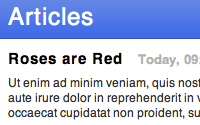
See how to easily generate and link to an RSS feed using new features in Rails 2.0. Watch this episode or details.
Also See
Mentioned
# index.rss.builder xml.instruct! :xml, :version => "1.0" xml.rss :version => "2.0" do xml.channel do xml.title "Articles" xml.description "Lots of articles" xml.link formatted_articles_url(:rss) for article in @articles xml.item do xml.title article.name xml.description article.content xml.pubDate article.created_at.to_s(:rfc822) xml.link formatted_article_url(article, :rss) xml.guid formatted_article_url(article, :rss) end end end end
<!-- index.html.erb --> <%= link_to "RSS Feed", formatted_articles_url(:rss) %>
$ rake routes


I can't download the episodes :(
Hm the wget download works - it seems it is browser problem on my side.
It worked for me....great episode as usual...keep up the excellent work
It's strange that you decided not to mention Atom and atom helper in Rails 2.0 at all
I found myself forced to use a respond_to cause I specify a layout for my controller
I have
layout "simple", :except => :index
and then
respond_to do |format|
format.html { render :layout => "simple"}
format.rss { render }
end
I hope I'm missing something ...
@Mislav, I had completely forgotten about atom_feed_helper. That certainly would be a better solution. I'll link to it in the show notes. Thanks!
@Sam, I think you'll have to keep that respond_to block if you are specifying a custom layout. Alternatively you can rename the layout to "application" or the name of the controller so it will be picked up by default. That may not work in your situation though.
Great stuff Ryan! Everyday I explore just a little more Rails 2.0 stuff. Keep up the good work.
Q: What did they call Ryan in Highschool?
A: Master Bates!
Kiddin! Your my hero, Ryan. <3 Keep it up.
Great work! You have an incredible talent for teaching. I watch many screencasts but I can honestly say I don't anticipate watching any of them as much as yours. Thanks to you I even bought a 10-pack of peepcode screencasts which are quite good. But I still prefer your style and content. You seem to know exactly what to explain further as if you had JUST figured out how to do it and it was fresh in your mind and exciting.
Enough blabbering but thanks a lot for your commitment -- I am positive there are many out there like me who appreciate it.
How can i get on itunes all episodes from railscasts ipod version ? I ask that because i can only download from 87 to 58.
Best regards!
And don't forget the auto_discovery_link_tag helper :)
Great episode, as always :)
http://api.rubyonrails.com/classes/ActionView/Helpers/AssetTagHelper.html#M001021
what can I say, every cast is just great you really bring to light the features of rails I've been learning so much of the past months.
Keep them coming
Have you had any problems with bad characters getting into the RSS feed? Im curious if there'something already built to parse out these bad characters (like if someone copied and pasted text into the article content from a MS Word doc)?
@David: If you are having trouble seeing ALL the Railscasts, you can add the podcast manually from within iTunes. Just select "Subscribe to Podcast" from the Advanced menu within iTunes, then paste the full rss feed (feed://feeds.feedburner.com/railscasts) into the box. Once you click OK it should list ALL the railscasts.
(If not, try 'unsubscribing', deleting, and then follow the above instructions to 'reset' the list.)
@David: Oh, the iPod version works too. Just use
feed://feeds.feedburner.com/railscasts_ipod
for the feed address. :D
@David, Yeah, I still need to fix the iPod feed. Thanks for reminding me. :)
@Sumit, I believe XMLBuilder automatically escapes the strange characters.
Thanks Bates.
It will be more convenience that have a link to the next episode in the page.
I need to write the feed to a file and others will pick that file ( this file is public).
One way to do is to do page caching. I could also use curl but I would like to store the output of builder in string and then store the file right there rather than using curl or anything.
How can I get the output of the builder in a string.
I noticed that if my application is set to use a layout (in my case 'xhtml') I will run into this error message when attempting to see the rss format:
Missing layout layouts/xhtml.rss.erb in view path
Is there a clean DRY way to tell rails to not use layouts on certain formats? The only way I could think of was to go back to the old not very DRY respond_to stuff. Or just creating a one line yeilding layout but that seemed more like a work around.
Sorry, just noticed my question had already been asked. Must have mistyped the ctrl+f in firefox searching for layout ;)
Whenever I try to view http://localhost:3006/pages.rss I get the error:
No route matches "/pages.rss" with {:method=>:get}
I cannot seem to work out where in my routes this is going wrong?
Also when I map.resources :pages it makes 'show' the default view instead of index!
Help?!
I also had to add a custom respond to block to turn off the layout. E.g.
respond_to do |format|
format.html
format.xml { render :xml => @articles.to_xml }
format.rss { render :layout=>false}
end
Hi,
Really great tutorials, as always.
How do I apply styling to the feeds.
Thanks in advance
Hey, love the spiels you cast. Can't get enough of them.
For those with layout issues. If you've defined a layout in application.rb for use site-wide, like application.html.haml or simple.html.erb, then just make another like application.rss.builder or simple.rss.builder (following your convention) using the following code:
xml.instruct! :xml, :version => '1.0'
xml.rss(:version => '2.0') do
xml << yield
end
Put the rest of the RSS code in your index.rss.builder view. Now you can remove the render call and keep your project DRY.
The only downside is builder doesn't indent the yield section of XML -- but that does save you two bytes per item line on output :)
Ryan --
Thanks for everything you do.
I wanted to point out an issue with atom_feed_helper in Rails 2.0.2 ... it has a bug or two, which have been fixed now on edge Rails.
If I were to do it again, I would not use atom_feed_helper -- RSS seems to me more widely accepted in various readers. Perhaps being "really simple" is a virtue :-)
Really great tutorials, as always.
Don't forget Mofo: http://errtheblog.com/posts/78-feeds-for-free.
It promises a way of talking Atom without writing separate Atom views.
Thanks Ryan, so simple! I love your episodes so much. @Nicolás Sanguinetti thanks for the auto_discovery_link_tag.
Thanks for a great railscast, I got it working in a lot less time than I thought.
One issue I'm having, is that it will only display the first 7 posts in firefox but in opera it gets all 11. I have repeated the xml.channel do block to also add additional posts as i have both title and title_japanese etc. All works fine except that in firefox it only show one block (either english or japanese) but not both like opera.
any way to have the feed display all articles? For example Railscasts displays all, not 7, so I'm a little stumped.
http://railsforum.com/viewtopic.php?pid=68710#p68710
railsforum post of the above question in more detail.
Excellent and helpful as always. Thanks Ryan!