


#186 Pickle with Cucumber
Pickle adds many convenient Cucumber steps for generating models. Also learn about table diffs in this episode.
- Download:
- source code
- mp4
- m4v
- webm
- ogv

Resources
bash
rails store
sudo rake gems:install RAILS_ENV=test
script/generate cucumber
script/generate pickle
script/generate rspec_model product name:string price:decimal
rake db:migrate
rake db:test:clone
script/generate rspec_controller products show
cucumber features -q
config/environments/test.rb
config.gem "rspec", :lib => false, :version => ">=1.2.9"
config.gem "rspec-rails", :lib => false, :version => ">=1.2.9"
config.gem "webrat", :lib => false, :version => ">=0.5.3"
config.gem "cucumber", :lib => false, :version => ">=0.4.3"
config.gem "pickle", :lib => false, :version => ">=0.1.21"
product_steps.rb
Then(/^I should see products table$/) do |expected_table|
  html_table = table_at("#products").to_a
  html_table.map! { |r| r.map! { |c| c.gsub(/<.+?>/, '') } }
  expected_table.diff!(html_table)
end
display_products.feature
Feature: Display Products
  In order to purchase the right product
  As a customer
  I want to browse products and see detailed information

  Scenario: Show product
    Given a product exists with name: "Milk", price: "2.99"
    When I go to the show page for that product
    Then I should see "Milk" within "h1"
    And I should see "$2.99"

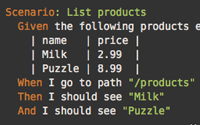
  Scenario: List products
    Given the following products exist
      | name   | price |
      | Milk   | 2.99  |
      | Puzzle | 8.99  |
    When I go to path "/products"
    Then I should see products table
      | Milk   | $2.99 |
      | Puzzle | $8.99 |
    Then show me the page