
#115
Jun 23, 2008

Caching in Rails 2.1

Rails 2.1 brings some new caching features which makes it very easy to cache any values including models. See how in this episode.
Download (9.6 MB, 8:47)
alternative download for iPod & Apple TV (9.2 MB, 8:47)

Resources

# script/console
Rails.cache.write('date', Date.today)
Rails.cache.read('date')
Rails.cache.fetch('time') { Time.now }
cache = ActiveSupport::Cache.lookup_store(:mem_cache_store)
cache.fetch('time') { Time.now }
c = Category.first
c.cache_key # => "categories/1-20080622195243"

# models/category.rb
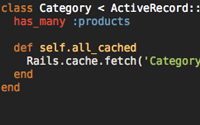
def self.all_cached
  Rails.cache.fetch('Category.all') { all }
end

# config/environments/production.rb
config.cache_store = :memory_store
config.cache_store = :file_store, '/path/to/cache'
config.cache_store = :mem_cache_store
config.cache_store = :mem_cache_store, { :namespace => 'storeapp' }
config.cache_store = :mem_cache_store, '123.456.78.9:1001', '123.456.78.9:1002'

See full Source Code

RSS Feed for Episode Comments 48 comments

1. Russ Jones Jun 23, 2008 at 01:39

appreciated as always :)


2. David Jun 23, 2008 at 03:17

Great cast, thanks!
Is there a way to store the cache data in the database?


3. Fredrik W Jun 23, 2008 at 03:39

Thanks for the screencast. Funny think that rubygems was just updated, I installed it on a dev-server this morning and didn't get 1.2. Thanks for the heads up :)


4. QuBiT Jun 23, 2008 at 06:14

great one again,
since rails 2.1 caching gets a bit more funny to code then before ;)

@David:

you can define views or user-defined-functions in your database which behave like caching a query or create indices on columns (b-tree, ...) to improve your db-performance,

but,

to store your cached data, retrieved from a database into a database to store the data for caching makes little sense to me.

maybe you lookup the definition of caching and its advantages and disadvantages.


5. Jose Fernandez Jun 23, 2008 at 06:20

mind = blown


6. Ryan Bates Jun 23, 2008 at 07:25

@David, good question! Actually it's very easy to write your own custom cache store to use the database or whatever else you want. See this post by Ryan Daigle on how to do this:

http://tinyurl.com/366763


7. JGeiger Jun 23, 2008 at 08:39

I can't seem to get the memcached version of this running in script/console when using a namespace.

If I create a new rails app, then edit config/environment.rb, adding the line:
  config.cache_store = :mem_cache_store, 'localhost', :namespace => 'test'

it will fail to load script/console with the following error:

syntax error, unexpected tASSOC, expecting kEND (SyntaxError)
...re, 'localhost', :namespace => 'test'
                              ^
from /opt/local/lib/ruby/1.8/irb/init.rb:252:in `load_modules'
from /opt/local/lib/ruby/1.8/irb/init.rb:250:in `each'
from /opt/local/lib/ruby/1.8/irb/init.rb:250:in `load_modules'
from /opt/local/lib/ruby/1.8/irb/init.rb:21:in `setup'
from /opt/local/lib/ruby/1.8/irb.rb:54:in `start'
from /opt/local/bin/irb:13

If I remove all of the options ('localhost' and :namespace) it will load correctly.

On OSX using macports ruby 1.8.7 p22.


8. Carl Jun 23, 2008 at 09:02

Isn't the whole point of caching to get the overhead of Ruby and Rails out of the way for unchanging content so that Apache (or Nginx or whatever) can server the content directly? Wouldn't interacting with the DB ruin that?


9. DrMark Jun 23, 2008 at 10:51

@Carl,

Caching has a couple of main purposes. First, it can be used to take the load off the database, since retrieving items from the cache is much faster than loading them from the database. Storing the cached objects in the database would defeat much of the benefits of this purpose. (Although, if you are caching complicated joins the cached version would likely be faster)

Second, caching is used to prevent Rails from performing expensive operations. Take for example, the the display of a list of your friends and their recent activities in a social application. This list would require Rails to do complicated joins and load all of the relevant objects. Caching this in memory or in the database will be faster than requiring Rails to regenerate the results. Caching is a critical tool for any high volume site whether you use memcache or the database store. Some people might prefer the database store because it is very easy to share the cache among multiple sites and it is persistent. Personally, memcache is the way to go.


10. Mark Jun 23, 2008 at 11:09

@Carl, that is one form of caching, yes. However, sometimes you do not have the luxury to cache the entire page. Sometimes you can only cache particular queries or results of calculations (or rendering of views). Depending on the speed of things involved it may make perfect sense to store your cache in the database (though this is probably an uncommon case).


11. Jochen Jun 23, 2008 at 11:36

How do I put the associations of a db query into the cache for later usage?

Refering to the screencast example: If I try to access a subcategory of the previously cached category query "all_cached.subcategory.name" wouldn't work as the subcategory istn't stored in the cache.


12. Jonathan Tron Jun 23, 2008 at 12:10

Nice screencast as always, but maybe you should specify one key difference with :file_store, it stores only Strings not Objects.
So caching your Category.all query with cache store set as :file_store will results in an unusable String. Worth mentioning it I think.


13. Arni Jun 23, 2008 at 17:21

@Jonathan: Objects can easily be converted to and from strings (YAML and XML pop into mind).


14. Sam Flower, Jr Jun 23, 2008 at 18:24

Do you think it is going to be better than Memcahed ?

Sam


15. Lawrence Pit Jun 23, 2008 at 22:58

When you use this stuff in development, be mindful that when you've got config.cache_classes = false in your environment/development.rb file, then your model classes will be reloaded upon every request. Which means that the classes of the things in your cache don't actually exist anymore at the next request. This can lead to all sorts of errors.


16. Thorsten Jun 24, 2008 at 00:44

@Sam: This can be used with memcached as the caching "engine", so it can hardly be "better than memcached§ when it used memcached ;)


17. Christian Seiler Jun 24, 2008 at 00:47

I had a look at the MemoryStore implementation and it's really only a simple hash. So any change made to an object from the cache will be visible to the next request. This is different to memcached where every object is (naturally) duplicated when being sent over the wire. Shouldn't perform the MemoryStore a "dup" on checkout to have the same semantics?


18. Jason Long Jun 24, 2008 at 08:17

Is there something you need to do to bypass the cache write attempt in development mode? I've got:

config.cache_classes = false
config.action_controller.perform_caching = false

... set in my development.rb, but it still logs

Cache write (will save 0.00154): MyClassName.all

... when initially calling MyClassName.all_cached and the next time it thinks the data is available in the cache, but retrieves nothing, breaking the view.

Anyone else experiencing this?


19. sibannac Jun 24, 2008 at 10:49

Great tool...

how can i cache an instance variable in controller?

like @products = Product.find(:all)


20. Roland Jun 25, 2008 at 08:05

I've run into a strange issue, while defining a local to_param method in my models for SEO purpose.

in short terms:

on cached model instances the "to_param" method is missing.

see: http://pastie.org/221873


21. Roland Jun 25, 2008 at 08:17

Looks my previous problems were caused by the :memory_store backend.

:file_cache also has some weird issue returning a string instead of an array

Finally it looks to work with :mem_cache_store.


22. Ryan Bates Jun 25, 2008 at 08:59

As many have mentioned, looks like there's some problems with MemoryStore and FileStore. I encourage someone who has detailed this problem to submit a ticket/patch about it at rails.lighthouseapp.com. Looks like there's still a some work to do on them.

@JGeiger, looks like the hash brackets need to be specified when setting the namespace. I'll fix the code example.

@Carl, bypassing Rails through page caching is certainly the fastest caching technique out there, however it is not always practical depending on the app requirements. When deciding a caching technique, I usually go down this list and try the first one that seems like it will work well.

1. page caching
2. action caching
3. render caching (see link in show notes)
4. fragment caching
5. custom caching with Rails.cache

@Jochen, you can fetch the subcategories before putting it into the cache which will result in the subcategories being stored in the cache as well. Storing associations can get a little tricky because it can easily lead to stale data if it's not properly expired in each case.

@Jason, I think you'll have to build the "bypass cache in development" logic into your application itself. The Rails.cache method is so low level that Rails wouldn't know how to bypass it on its own. How would it know what to return on a cache.read? Maybe a config setting to flush the cache between each request in development would be sufficient?

Regarding your problem with it failing on the second request, this has to do with how memory_store keeps the classes which breaks with the "cache_classes = false" setting. I recommend using mem_cache_store until this is resolved.

@sibannac, you can use that all_cached method I created in this episode.

@categories = Category.all_cached

Just watch out as this will break with memory store and file store. You'll need to use mem_cache_store until those problems are resolved.


23. Jason Long Jun 25, 2008 at 10:01

Hey Ryan - thanks for the additional feedback. I'll look into building the development/non-development checks, but I wanted to make sure I hadn't missed anything obvious first.


24. Tom Jun 25, 2008 at 16:34

awesome, thx!


25. Ryan Sobol Jun 27, 2008 at 10:26

Thanx for creating a screencast for this gem of a feature. I otherwise would have missed it in the named_scope-and-friends frenzy of the rails 2.1 launch.


26. Jonathan Tron Jun 27, 2008 at 14:53

Arni : Yes I didn't meant it was not possible, just it was not documented anywhere and as the different cache stores does not provides the same behavior, maybe it should be mentioned.


27. aleco Jun 28, 2008 at 14:54

okay, maybe I'm stupid, but I don't get how to properly use cache_key: how can I figure out its cache key without accessing the DB and getting the object itself? Here's an example:

An app has rather complicated, large objects, which should be cached. The first time a controller asks for the object with the id 1, it is read from the DB and then saved by its cache key. Now the next time the controller asks for the object with the id 1, the controller itself has no clue about its cache_key, so it can't find the object.

Is it really necessary to do a find(:select => [id, updated_at]) for that object, then generate the cache_key from the timestamp we now have, then check the cache if the object with this cache_key exists?

Somehow this feels ugly and completely wrong. But maybe I just don't get how people normally use the rails cache_key (and no, I'm not referring to the custom cache key from the rather old nubyonrails page that's linked above - that's something else).


28. James Stewart Jun 29, 2008 at 10:02

@aleco - one usage that immediately occurs to me is loading a blog entry and its comments, where there's a counter cache recording the number of comments. With the new cache_key you can do:

@entry = BlogEntry.find(params[:id])
@comments = Rails.cache.fetch(@entry.cache_key) { @entry.comments }

So you only need to fetch the one record from the database and then you know whether the cache will be good for all the dependent records.


29. aleco Jun 29, 2008 at 14:29

@James: hmm, as the cache_key will only bet updated when the BlogEntry object is saved, you'l have the same cache_key no matter if people added additional comments.

Now I know one could use a sweeper to clean the cache when a comment is added, but I thought the main reason for introducing cache_key is to shift from the paradigm of cleaning caches to updated object keys and have memcache clear the old data itself.

In other words, I'm still hoping for a blog entry/railscast with the title "5 smart ways of using cache_key", as I still can't clearly see its benefit.


30. Rob Anderton Jun 30, 2008 at 04:02

Thanks for another excellent Railscast Ryan.

And thanks of course for the link :)


31. Jeremy Weiskotten Jul 02, 2008 at 08:32

If you're using file_store (such as in development mode), you can serialize to and from YAML easily.

Instead of:

def self.all_cached
  Rails.cache.fetch('Thing.all') { all }
end

Use this:

def self.all_cached
  yml = Rails.cache.fetch('Thing.all') { all.to_yaml }
  YAML::load(yml)
end

There are ways to make it smart enough to only serialize to YAML if the cache is configured to use file_store, to avoid the overhead of serialization when using memory_store or mem_cache_store.


32. Maxim Shevertalov Jul 03, 2008 at 06:09

Great screencast, lots of info. Thanks for the heads up on the update.


33. Joel Nylund Jul 07, 2008 at 20:11

Ryan, great screencast as always, Im having some trouble when I store an array of active records in memcached store using this new method. Am I allowed to store active records in memcached? The behavior is really weird, I get the array out of memcached, loop through it, and when I try to access a member it works fine, but when I try to access a method it barfs with method doesnt exist or stack too deep. Using the debugger I see the object.. any ideas?


34. Jochen Jul 09, 2008 at 11:53

Hi,
I still struggle to understand how the cached values can be processed later.

Accesing a cached model object immediately after caching works as expected. I can do something like "cached_model.id" to access the corresponding cached value.

But once I try to do the same from another action it's not possible anymore.
I get an error message "stack level too deep".
However, accessing other methods still works fine.

What am I doing or thinking wrong?


35. Tony Perrie Jul 21, 2008 at 21:50

My bad, I never bothered to look at how the cookie store actually saved the data in the browser. Since it seems to be encrypted, my privilege escalation point was totally wrong. Thanks for clearing this up, and keep up the good work.


36. Thijs de Vries Jul 23, 2008 at 12:26

For those who are having stack overflow problems. Setting
config.cache_classes = false
to true fixed it for me. Unfortunately this has the side effect of making it that models do not reload every time you use them.


37. nav Jul 26, 2008 at 04:31

Is this cached into the database


38. ahabman Sep 04, 2008 at 12:34

Regarding the stack errors -

The official ticket is at
http://dev.rubyonrails.org/ticket/10896

and the solution that worked best for me (since I'm not using mem_cached) was -

change line 244 of "attribute_methods.rb" to read

    if false and self.class.primary_key.to_s == method_name


39. Scott Sep 27, 2008 at 12:43

Has anyone done any benchmarking of action caching v. render caching (assuming there's fairly little controller work being done)? I might do some if I can't find any, since action caching is meaningfully more difficult to manage.


40. Rootie Sep 27, 2008 at 13:53

One question - where does the query cache fit in all of this? The example in the Railscast seems to be taken care of by the query cache, for example. Obviously you could modify things in a controller and then cache them, but for this common case, why do anything at all?


41. Justus Oct 13, 2008 at 00:31

>> Rails.cache.write('date', Date.today)
=> false

Why could this be happening?

I have memcached running and in my development.rb: config.cache_store = :mem_cache_store

All other caching works (fragment etc.) Using rails 2.1

Thanks for any help,
Justus


42. Peter Bracke Oct 13, 2008 at 14:12

Thanks Ryan,

great cast as always.


43. Akem Oct 20, 2008 at 15:15

thank you for the nice screencast. i've enabled memcache on 2 high-traffic projects with many db querys and it enhance the speed of these sites conspicuously.

i think i use it for all projects now ;-)

thanks a lot ryan


44. wotlk cd key Nov 13, 2008 at 01:23

good job agin!


46. jc Nov 20, 2008 at 10:38

any reason a cache sweeper would work in development, but not in production? I'm running passenger and I've tried with both memory store and file store and my sweepers aren't working. They work great in development though.


47. شات Jan 03, 2009 at 19:27

thanks


48. runescape accounts Jan 03, 2009 at 23:42

Cheap & Safe & Fast & Reliable Runescape Gold,Runescape Item,Runescape Accounts , All in runescapegoods.com. Instant Delivery, 24/7 Service.


49. dada Jan 05, 2009 at 00:36

Welcome to VGhp.com INC. buying the game gold.
http://www.vghp.com runescape gold
http://www.sgw.mobi runescape money
http://www.igeebay.com runescape accounts
http://www.runescape.ac runescape equipment
http://www.runescape.ac/bbs runescape runes
http://www.runescape.martbase.com runescape logs
http://www.martpal.com runescape items
http://www.xy2online.com
http://www.rs2sever.com runescape sever
http://www.ffxi-gil.us runescape powerleveling
http://www.85goo.com wow gold runescape quest point
http://www.ige9.com runescape gold
http://www.ige8.com runescape gold

Add your comment:

(SKIP THIS ONE)

(required)

(not shown)


(use pastie or gist for code)

sponsored by:
if you want to help:
required:
Get Quicktime Player