
#1
Mar 05
Caching with Instance Variables
Learn a quick way to improve performance. Just store the end result of an expensive command in an instance variable!
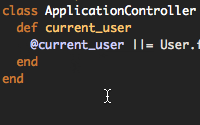
# application.rb def current_user @current_user ||= User.find(session[:user_id]) end


I should have made this more clear in the episode:
An instance variable only sticks around for a single request, so using the technique described will only benefit you if you need to call a method multiple times per request.
If you need to store a model or other data between requests, look into memcached.
I agree with Ryan Bates,and it is still useful for me.good tip!
我同意Ryan Bates,同时它依然对我有用.不错的技巧!
good tip
This is kindof automatically included in edge rails auto query caching.
@niko, right. This isn't as necessary in edge rails since the query is cached. However it will return a new instance of User every time so I still recommend caching it in an instance variable.
Hi,
Is it possible to subscribe to the old posts over itunes or only ones after episode 24?
Cheers,
Luke
@Luke, I went ahead and changed the feed so it will display all episodes. You should be able to download all episodes through iTunes in a day or so.
It appears the feed is missing episodes 20-23. If you can, can you add those to the iTunes feed?
@Brian, hmm, those episodes are showing up for me in iTunes Music Store. Is that where you're looking?
Ryan, yes, I am in the iTunes Music Store. In my iTunes I see all 1-55 listed except for 20-23. Given you're seeing them all I'm guessing now that I may have inadvertently deleted those from my iTunes (I did already view them once).
So an iTunes question for you or anyone -- is there a good way to restore a deleted iTunes entry?
since people are talking about it here...
I'd love all the back issues in iTunes as well. Right now, i'm only seeing episode 33 on. Did the feed get reset to only allow the last 30 episodes?
Thanks for such a great screencast!
@brooke, the full quality feed should show all episodes on iTunes. The iPod version doesn't - I'll try to fix that.
its good
Can anyone explain this in more attractive way, so that I can easily uderstand the actual concept?
agree with saket...
would be great if there is a common scenario that demonstrates the benefit of using this technique...
I've just discovered Railscasts and thought I'd start at the first episode. Low and behold, absolute genius, I cut one of my request times in half by caching the return from my ldap lookup. Thanks, hoping to find many more gems as I work my way through the episodes.
This might sound like stupid question. I recently started learning php with sql. This looks like php coding but am not sure. It maybe little advance for me or maybe am just been stupid and there is previous tutorials.... I looked at #1 because I thouth it would be the easiest to get my head round. I kinda understand what is going on in this tutorial... but I am not sure where I would apply such a method? Thanks Ste
@Ste You might want to start with the Agile book titled "Agile Web Development with Rails". It makes a very nice beginner course for people who have done web development with other languages and frameworks.
Have a look.
Ryan, spectacular job on the Webcasts. Helps demystify the rails magic. This is a great tip but I am not clear on how it works? I thought instance variables only live as long as the routine is called. So every time you call current_user, isn't @current_user destroyed? Why isn't it? Is that rails or ruby at work? I assume rails.
thanks again for your dedication to the community
@mike b, in Ruby, instance variables stick around as long as the object exists. In Rails this controller object sticks around for the entire web request. So if you call current_user multiple times during that one request the User.find call will only happen once.
Where can I read the development.log in real time like it shows in the railcast? What I did was I open the development.log as text file each time I insert a new comment to read the latest log. I tried something with tail -f but that didn't work. I'm a newbie btw.
excellent this is want I needed to do to get images to display that ere uploaded using file_column
Thanks for your screencasts!