
#77
Oct 29

Destroy Without JavaScript

If the user has JavaScript disabled, the "Destroy" link might not work properly. In this episode I will explore a number of ways to work around this issue.
Download (14.3 MB, 7:08)
alternative download for iPod & Apple TV (9.6 MB, 7:08)
<!-- projects/index.rhtml -->
<ul>
<% for project in @projects %>
  <li>
    <%=h project.name %>
    <%= link_to_destroy "Destroy", project_path(project), confirm_destroy_project_path(project) %>
  </li>
<% end %>
</ul>

<!-- projects/confirm_destroy.rhtml -->
<% form_for :project, :url => project_path(@project), :html => { :method => :delete } do |f| %>
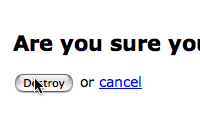
  <h2>Are you sure you want to destroy this project?</h2>
  <p>
    <%= submit_tag "Destroy" %>
    or <%= link_to "cancel", projects_path %>
  </p>
<% end %>
# routes.rb
map.resources :projects, :member => { :confirm_destroy => :get }

# projects_controller.rb
def confirm_destroy
  @project = Project.find(params[:id])
end

# projects_helper.rb
def link_to_destroy(name, url, fallback_url)
  link_to_function name, "confirm_destroy(this, '#{url}')", :href => fallback_url
end
/* application.js */
function confirm_destroy(element, action) {
  if (confirm("Are you sure?")) {
    var f = document.createElement('form');
    f.style.display = 'none';
    element.parentNode.appendChild(f);
    f.method = 'POST';
    f.action = action;
    var m = document.createElement('input');
    m.setAttribute('type', 'hidden');
    m.setAttribute('name', '_method');
    m.setAttribute('value', 'delete');
    f.appendChild(m);
    f.submit();
  }
  return false;
}

17 comments:

HappyCoder Oct 29, 2007 at 02:23

If a user doesn't have js enabled, then f*ck him.


Dr Nic Oct 29, 2007 at 02:40

@HappyCoder - html inside of RSS/Atom feeds, read thru a feed reader will often have javascript disabled or striped out.


seb Oct 29, 2007 at 02:56

Yuou should add javascript.rb to coderay scanners it will be nicer :)
Thanks for all casts!!


nicolash Oct 29, 2007 at 03:15

What about going for the classic progressive enhancement way?
1.) Generate the normal html-form to destroy
2.) Via Javascript:
2a.) hide the form
2a.) insert a link after the hidden form that submits the form on click.

Something else:
You can have a form with a button-tag instead of submit-tag - a button-tag can be made look like a normal link via css (quite some work due to inconsistencies in the css implementation from browser-vendor to browser-vendor). The sad thing is the naming for a helper for this should be "button_to" but this is already taken for something that should better be called "submit_to".

Yet an other way for an ajax-destroy:

1.) Generate the normal html-form to destroy
2.) Via Javascript:
2a.) replace the form with a link that makes an ajax-request to destroy

here the JS (requires Prototype 1.6! - but would be easyly adaptable for 1.5):
(implemented via PeriodicalExecuter because I also dynamically generate new list-elements)

<script type="text/javascript">
//<![CDATA[
document.observe("contentloaded", function() {
new PeriodicalExecuter(function(pe) {
$$("#posts form").each(function(element) {
url = element.getAttribute("action");
id = "destroy_"+element.up("li").getAttribute("id");
className = "destroy";

element.replace(new Element("a", { href: url, id: id, className: className }).update("Destroy"));

$(id).observe("click", function(e) {
e.stop();
new Ajax.Request(e.target.getAttribute("href"), { method:'delete' });
});
});
}, 0.1);
});
//]]>
</script>

provided html list of posts with id="posts" (requires Rails 2.0 - but would be easyly adaptable for 1.2):
_posts.html.erb:
<!-- ============ begin a summary ========= -->
<li id="<%= dom_id(post) %>">
<h2><%= h(post.title) %></h2>
<p><%= h(post.body) %>
<%= button_to "Destroy", post, :method => :delete, :id => "destroy_#{dom_id(post)}" %>
</li><!-- end a summary -->

Thanks for your Screencasts...
@HappyCoder: Back to school ;-)


nicolash Oct 29, 2007 at 04:23

an afterthought to my comment:
an dialog-box to confirm the delete is not the best way from a usability/accessabilty standpoint to protect from unintended deletes.
better would be to do the confirm it the http://del.icio.us/ way:
generating an inline link "delete this post?" after the first delete click
or the best practice albeit very complex giving an undo-option after delete the http://mail.google.com/mail/ way.
(For an in depth-discussion see: http://www.alistapart.com/articles/neveruseawarning)


Jamie Hill Oct 29, 2007 at 07:50

Finally! Someone else has picked up on this. I have been banging on about this for well over a year. Shortly after Simply Helpful was announced I posted an article called "Simply RESTful... The missing action":http://www.thelucid.com/articles/2006/07/26/simply-restful-the-missing-action

Ryan, I'm begging you please take a look at this post, as the amount of work in your screencast shouldn't be necessary. This is what I was trying to outline over a year ago. I'm glad that someone with some clout has picked up on it, as it seems that unless you're part of the Rails core in-crowd, your views rarely get taken seriously.

Great screencasts! I would love to hear your feedback on the above.


Michael Graff Oct 29, 2007 at 22:38

I have always wondered why there was no "get a confirmation" page that was generated. I honestly agree this is the missing "restful rails" functionality, and without it stripped down browsers simply won't scale.

Not everyone CAN enable javascript, after all. And I certainly don't have it on in tests :)


Alex MacCaw Oct 30, 2007 at 14:22

You may be interested in my solution, especially when it comes to doing ajax deletes that are supported by clients without javascript. http://www.eribium.org/blog/?p=165


Ryan Bates Nov 01, 2007 at 15:34

@Jamie, your solution is intriguing, although I'm not sure it belongs in core. I would really like to see a well supported plugin which does this.


Kristen Nov 04, 2007 at 12:51

I couldnt find your email Ryan, so I'll just post this here.
I would like to make a suggestion for your next episode: parsing text files with callback methods. There seems to be much confusion around this topic and we had a hard time in the rubyonrails irc channel figuring out when the uploaded file becomes available as an instance so the parsing can be done. Another question that came up: how can it be done so that only one insert statement takes place?
We were using the file_column plugin to handle file uploads.
I think many people would appreciate if you presented your solution.
Thanks. Your screencasts rock! I've watched every single one!


Jamie Hill Nov 06, 2007 at 16:34

@ryan, The following plugin makes :delete a :get action by default http://svn.soniciq.com/public/rails/plugins/iq_restful_monkey, then you just need something like:

# Controller
def delete
@product = Product.find(params[:id])
end

# View (delete.html.erb)
<h2>Delete product </h2>
<% form_for @ product, :html => { :method => :delete } do |f| %>
<p>Are you sure?</p>
<p><%= f.submit 'Delete' %></p>
<% end %>


David Parker Nov 12, 2007 at 09:22

Finally getting to catch up on some of these... this is great Ryan!


boccaleone Nov 14, 2007 at 16:17

Thanks for another great screencast. I have been working in the 2.0 preview version of rails and have found some modifications are needed to make it all work with the equally awesome now form authentication system.

I added an additional parameter to the function that passes the authentication_token. This is used to create a hidden field appropriately named for the auto-authentication:

function confirm_destroy(element, action, message, auth_token ) {
if (confirm(message)) {
var f = document.createElement('form');
f.style.display = 'none';
element.parentNode.appendChild(f);
f.method = 'POST';
f.action = action;

var m = document.createElement('input');
m.setAttribute('type', 'hidden');
m.setAttribute('name', '_method');
m.setAttribute('value', 'delete');
f.appendChild(m);

var t = document.createElement('input');
t.setAttribute('type', 'hidden');
t.setAttribute('name', 'authenticity_token');
t.setAttribute('value', auth_token);
f.appendChild(t);

f.submit();
}
return false;
}


Stephen Tudor Dec 10, 2007 at 08:12

The CSRF protection in Rails 2.0 seems to break this approach, at least for me. When attempting the destroy thru JavaScript, it throws a ActionController::InvalidAuthenticityToken error. Without JS, of course it works.

My main issue with Rails 2.0 is that I don't have any idea how to get my Rails 1.2.x apps to work without disabling CSRF altogether. That seems a little heavy-handed, but I haven't been able to figure out a more elegant solution. Maybe I'm just ignorant of something obvious?


steph(an) Dec 16, 2007 at 13:56

One potential solution is the following:

1. Remove the plugin (I don't believe a version for Rails 2 exists). Rails will now write the confirmation javascript to send a DELETE to the link's href - i.e. to the delete action.

2. Change your routes.rb so that the delete action accepts DELETE as well as GET. E.g.

map.resources :sites, :member => { :delete => :get, :delete => :delete }

3. Change your delete action to call destroy if the request is a DELETE, or render the delete confirmation form if not.

def delete
destroy if request.delete?
// Otherwise renders delete.rhtml
end


steph(an) Dec 16, 2007 at 13:58

:-D

That was meant for a different site.

So, ignore step 1 (it was referring to the iq_noscript_friendly plugin) and just follow steps 2 and 3, using the Rails link_to helper as normal (with a :href argument pointing to the delete action).


josh Apr 09, 2008 at 08:24

My 2 cents. I've modified it to work with Rails 2.0 CSRF and the UJS plugin.

template:
<%= link_to_destroy 'Remove', user_path(user), delete_user_path(user) %>

helper:
def link_to_destroy(name, url, fallback_url)
options = "action: '#{url}'"
if protect_against_forgery?
options << ", token_name:'#{request_forgery_protection_token}'"
options << ", token_value:'#{escape_javascript form_authenticity_token}'"
end
link_to name, fallback_url, :onclick => "confirm_destroy(event, this, {#{options}})"
end

javascript:
var confirm_destroy = function(event, element, options) {
if (confirm("Are you sure?")) {
var f = document.createElement('form');
f.style.display = 'none';
element.parentNode.appendChild(f);
f.method = 'POST';
f.action = options.action;
var m = document.createElement('input');
m.setAttribute('type', 'hidden');
m.setAttribute('name', '_method');
m.setAttribute('value', 'delete');
f.appendChild(m);
if(options.token_name && options.token_value){
var s = document.createElement('input');
s.setAttribute('type', 'hidden');
s.setAttribute('name', options.token_name);
s.setAttribute('value', options.token_value);
f.appendChild(s);
}
f.submit();
}
Event.stop(event);
return false;
};

Add your comment:

(required)

(not displayed)

(SKIP THIS ONE)


(required)

subscribe:
sponsored by:
if you want to help:
required:
Get Quicktime Player