
#57
Jul 13
Create Model Through Text Field
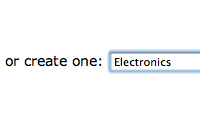
Let's say you provide a select menu for setting which category a given product belongs to, but you also want the option of creating a new category by typing the name in a text field. See a great way to do that in this episode.
<!-- views/products/_form.rhtml --> <p> <label for="product_category_id">Category:</label><br /> <%= f.collection_select :category_id, Category.find(:all), :id, :name, :prompt => "Select a Category" %> or create one: <%= f.text_field :new_category_name %> </p>
# models/product.rb belongs_to :category attr_accessor :new_category_name before_save :create_category_from_name def create_category_from_name create_category(:name => new_category_name) unless new_category_name.blank? end


let me see,I'am first!~
brilliant! very nice tip. cant wait to use it.
Hey, thanks. Great tip.
Tried this with tests :P.
http://pastie.caboo.se/78522
Thanks a lot!
Great tip...
Thanks again Ryan. Your tip is sure to save me some time. I'll definately be looking into 'collection_select', and it's advantages.
Thanks again
Great stuff as always. Keep up the good work!
Hey Ryan, great stuff as always.
Could you do a part-two on this where you disallow the selection of an existing category and entering a new category name at the same time?
Perhaps adding an "other" field to the pulldown menu which dynamically makes the "create one" field fade in to the page? (and selecting an existing category again makes it fade out)
Thanks.
Oh yes. I'll love to see that to!
This is freaking awesome!
I have to agree that adding some AJAX voodoo to this screencast would make an excellent Part 2
You don't need AJAX voodoo...
This is just a related example, but the idea is the same from the view side.
<label for="occurs">Occurs:</label><br />
<%= f.select(:occurs, ["Once", "Daily", "Weekly"], {}, :class => 'smallTextInput', :onchange => 'Form.displayOccurs();') %>
<span id="occursbox" style="display: none;">for <%= f.text_field :quantity, :class => "tinyInput" %> <span id="timeframe"></span></span>
Form={
displayOccurs:function() {
occurs = $('event_occurs').value;
switch (occurs) {
case "Once":
$('occursbox').hide();
break;
case "Daily":
$('timeframe').update("days");
$('occursbox').show();
break;
case "Weekly":
$('timeframe').update("weeks");
$('occursbox').show();
break;
}
}
Parabéns!
Mais um excelente vídeo!
I've been trying to work out how to do this for ages, and this tutorial absolutely nails it. Thanks for the wonderful screencasts, Ryan.
Hi!
Dunno if you also do audience requests, but here's mine:
I'd really like to see a screencast on backgroundrb/druby combined with rails.
great site, you rock.
I understand how the new category is created, what I don't see is how the DVD Player is associated to the new category.
Any insight?
oh... guess i'd need to see the controller for that part... wasn't thinking.
@ron, actually the controller doesn't know anything about the Category model - it only creates the Product model. The association is set by using the "create_category" method. This is provided by the belongs_to association and automatically sets the category to that product when it is created.
Great, Ryan. Thanks.
Could you explain the difference between build_category and create_category? The api docs don't seem to help me much.
@ron, build_category is like Category.new, it doesn't save it to the database. creat_category is like Category.create, it saves it to the database.
great stuff Ryan,
I don't see a link on the website for submitting requests, but is it possible to show how to simulate a treeview type control in Rails.
Thanks!!!
This is great for simple models, but does it expand well for more complex models?
How many fields is this wise to do with before you should consider a fields_for option?
Great episode
How about the other way around. When I create a category I would like to create a couple of products belonging to that category as well. I've realised there is something like category.products.create but I dont know how to use it. Any pointers?
Thanks
First of all THANK YOU for your great work !!!
There is one thing I can't understand in your sample:
In the view I use " text_field 'form', 'id' "...
what is " f.text_field 'id' " instead?
@JT, I wouldn't use this technique if you have to fill in more than one attribute for the related model. That can get pretty messy in the code. Instead, fields_for seems like a better solution that way you can group it in a second hash and not have to create a virtual attribute for every related attribute. Maybe I'll make a screencast on this in the future.
@Oskar, this is on my todo list for a future episode. :)
@Ioribox, That "f" variable is a form builder which was created through form_for. I'm just passing it as a local variable to the partial which is why you don't see the form_for statement.
Thank you so much for your replay!
About this episode: I've added the "Create Model Through Text Field" into
one of my test projects. It's been fast and simple thanks to your tutorial !
I've just modified the callback function to check the uniqueness of the new
record!
def create_new_category_from_name
unless new_category_name.blank?
if category = Category.find(:first, :conditions => {:name => new_category_name}) then
self.category_id = category
else
create_category(:name => new_category_name)
end
end
end
THANK YOU AGAIN
@LoriBox, as an alternative you can use find_or_create_by_name method:
http://pastie.caboo.se/79856
Editing a product doesn't seem to allow the creation of a new category, only creating a new product. I followed the implementation given in the screencast fairly closely, so do you think you could offer a guess as to what might be going wrong? Cheers.
@Benedict, check the code inside of the Product model. Make sure you set the callback up so it creates a Category model when it is saved.
I realised I had a required field in the Category model which wasn't being passed a value, fixing that sorted it out. Thanks for the help though.
I noticed that using the create_category method doesn't run the validations in the related model "category.rb" Is there a good way around this or do we need to redo our validation checks in the method like LoRiBoX's comment above. I'm sure there is a DRYer way to do it but I'm not sure how.
Hi Ryan. First of all, thanks for the excellent Railcast-episodes! They really help finding my way through.
I'm finding the title of this episode misleading, but maybe I don't understand things well enough just yet. Anyhow, imho we're not creating models but records, so I'd call the episode "Create record through text field".
cheers from the nitpicking-department
Amazing!!!! I've been looking for this solution for over 2 weeks. Many thanks.
Ryan, what about some validation examples? For example, I'm validating for :company_id given one of the companies from the drop-down are selected, however, I don't want to run the validation if new_company_name is present. This doesn't seem to work:
validates_presence_of :company_id, :unless => new_company_name?
Any ideas why?
Cheers, GREAT tutorials mate, keep it up! : )
Has anyone did this using an auto complete instead of a select and text box. I was hoping to add the feature where the user would start typing a name, if it was in the list it would add it if not it would create a new one.
i want code for particlur limit of values maintain in textfield
I'm using rails 2.0.2. The params hash *does* have the value that I'm passing through the form, however the attr_accessor that I created is *not* getting populated. I am having to explicitly set the value of attr_accessor from the params hash.
Any thoughts?
I realized I am using attr_accessible - got to remember to add the virtual attribute to the list.
Separated modes of consciousness, naturally, become modalized also in correlation with multiplicities of cognition.